
Why is my Receipt Printing Blank?
Jul 1st 2026
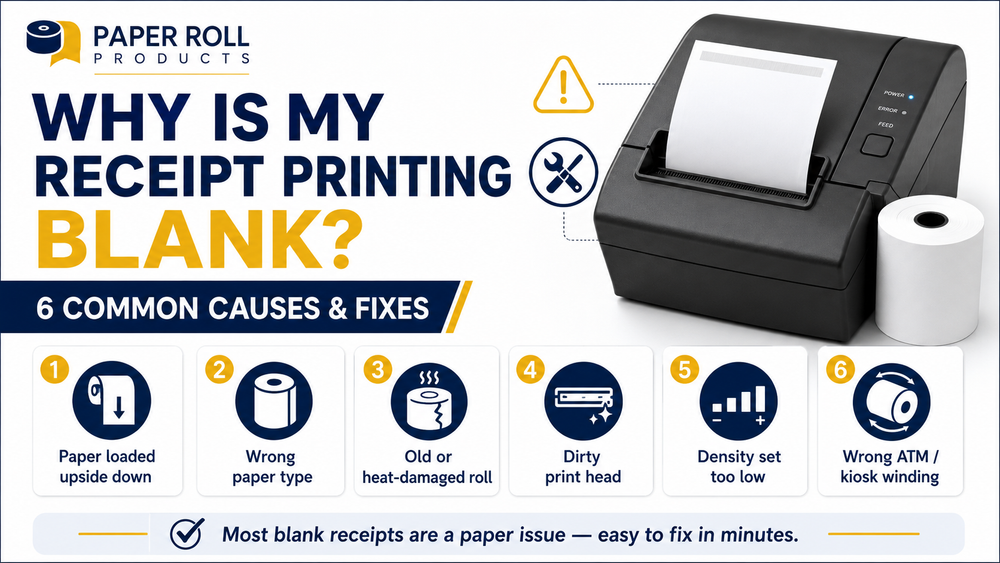
A blank or half-printed receipt feels like a printer failure, but nine times out of ten it's the paper — and most causes take under a minute to fix. Here are the six most common reasons a thermal receipt comes out blank, in the order you should check them.
1. The Thermal Paper Is Loaded Upside Down
This is the number-one cause. Thermal paper is coated on one side only, and only that side reacts to the print head. Load the roll backwards and the head heats the uncoated side — producing a totally blank receipt.
Quick test: drag a fingernail or coin across the paper. The side that leaves a faint gray mark is the coated (print) side. Reload so that coated side faces the print head. On most printers the paper feeds off the bottom of the roll, not the top.
2. You're Using the Wrong Paper Type
Thermal printers need thermal paper. Load plain bond paper in a thermal printer and there's no ink and no ribbon, so nothing prints. (The reverse — thermal paper in an impact printer — prints faintly or jams.) If you're not certain which your printer uses, see Thermal vs. Bond Paper.
3. The Paper Is Old, Faded, or Heat-Damaged
Thermal images fade over time, and the raw paper can be "used up" before you ever print on it. Heat, direct sunlight, and friction all activate or exhaust the coating. A roll left in a hot car, near a heat lamp, or in a sunny window can come out blank or gray. Store rolls cool, dark, and dry — see How to Store Thermal Paper Rolls.
4. The Print Head Is Dirty
Dust, paper lint, and adhesive residue build up on the print head and block heat transfer, causing blank patches or faint streaks. Run a thermal cleaning card through the printer, or power off and gently wipe the head with a cotton swab and isopropyl alcohol. Let it dry fully before reloading.
5. Print Density Is Set Too Low
Most receipt printers have a print density (darkness) setting in their driver or configuration. If receipts are faint rather than fully blank, the density may have been turned down, or a lower-grade paper may need a higher setting. Nudge the density up a step and reprint.
6. ATM or Kiosk Paper Is Loaded the Wrong Way
ATM and some kiosk rolls are inside-wound — the coating faces inward, the opposite of standard POS rolls. Load a standard roll in an ATM (or vice versa) and it prints blank and can jam. If this is an ATM or kiosk, confirm the winding direction before loading. See Why ATM Paper Is Different.
Still Blank After All Six?
If the paper is correct, loaded coated-side to the head, fresh, the head is clean, and density is up — and it's still blank — the print head itself is likely failing. That's a hardware repair or replacement, not a paper issue.
Quick Checklist
- Coated side facing the print head? (scratch test)
- Actually thermal paper — not bond?
- Fresh roll, stored cool and dark?
- Print head clean?
- Print density turned up?
- Correct winding for an ATM/kiosk?
Get the Right Paper
Most blank-receipt calls trace back to the wrong roll. Paper Roll Products can match the exact thermal paper your printer needs. Employee-owned since 2002 and based in Eagan, MN, with same-day shipping on in-stock orders.
Find the right paper for your printer →
Shop all thermal paper →